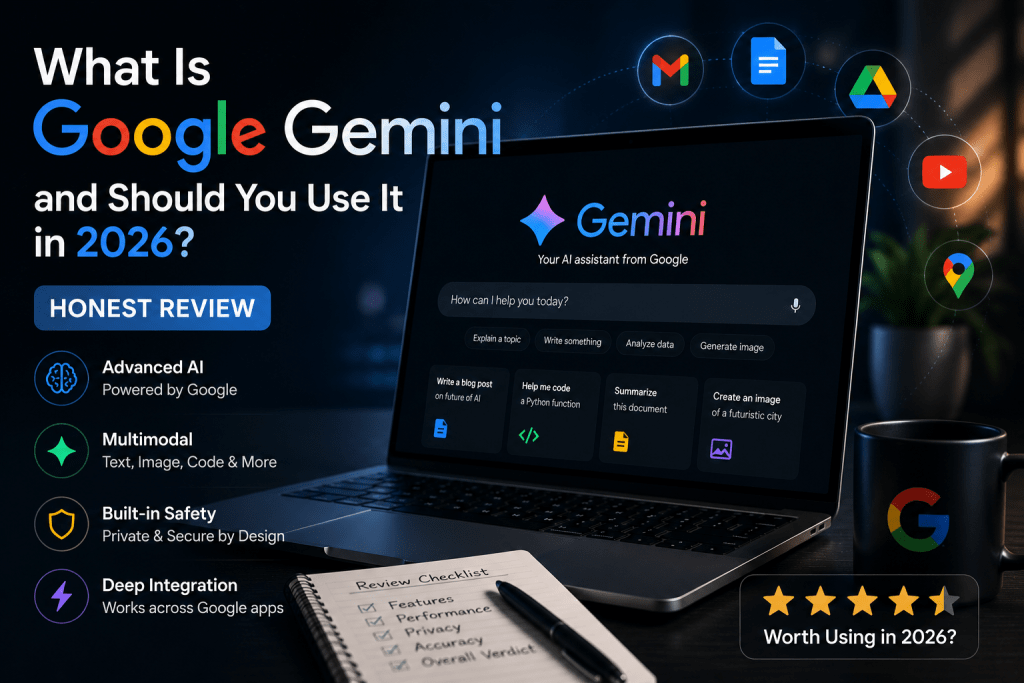
What is Google Gemini is currently one of the most searched questions in the entire artificial intelligence space and according to recent data it has become the number one most searched AI term in the United States. That is a remarkable position for a product that most people still cannot fully explain when asked.
If you have heard the name, seen it mentioned alongside ChatGPT and Claude AI, and wondered whether it is something you should actually be paying attention to this honest review is going to give you a clear answer. Not a promotional overview of every feature Google has announced, but a genuine assessment of what Gemini is, what it does well, where it falls short, and whether it deserves a place in how you work in 2026.
What Is Google Gemini
Google Gemini is Google’s artificial intelligence assistant the company’s primary consumer-facing AI product and its direct response to the rise of ChatGPT and Claude AI. It is built on a family of AI models also called Gemini, developed by Google DeepMind, which is the research division formed when Google merged its two main AI research teams in 2023.
You interact with Gemini the same way you interact with any conversational AI tool you type a question, request, or instruction and it responds. It can help with writing, research, analysis, coding, image understanding, and a wide range of everyday tasks. In that basic sense it works similarly to ChatGPT or Claude.
What makes Gemini distinct is not what it can do in isolation but where it lives. Gemini is being woven into the entire Google ecosystem Gmail, Google Docs, Google Drive, Google Search, Google Calendar, YouTube, and more. For people whose digital lives already run through Google’s products, this integration is the central argument for using Gemini over its competitors.
A Brief History of How Gemini Got Here
Understanding where Gemini came from helps explain some of its strengths and the unusual position it occupies in the AI market.
Google was not caught off guard by the AI revolution the company had been doing foundational AI research for years and its teams produced some of the most important breakthroughs in the field. But when OpenAI released ChatGPT in late 2022 and it became a cultural phenomenon almost overnight, Google found itself in the uncomfortable position of being the world’s most important search company facing a genuine threat to its core business model.
Google’s first public AI assistant response was Bard, launched in early 2023. Bard had a difficult debut a factual error in its launch demonstration caused the company’s stock to drop significantly and the product was widely perceived as rushed. The name Gemini replaced Bard in early 2024 as Google rebuilt and rebranded its AI assistant strategy around its most advanced model family.
By 2026 Gemini has evolved considerably from those early stumbles. The current version is a genuinely capable tool that has moved well past the early reliability concerns. But the competitive landscape has also moved significantly, with Claude AI and ChatGPT both improving rapidly, which means Gemini is competing for users who have real alternatives rather than entering a market it can define.
What Google Gemini Can Do
Gemini handles the full range of tasks you would expect from a modern AI assistant, and it handles most of them competently. Here is what it does and where it performs best.
Writing and content creation is a core capability. Gemini can draft emails, write articles, generate social media content, create summaries, edit and improve existing writing, and help with any task that involves producing text. The quality is solid for most everyday writing tasks not consistently as polished as Claude for long-form content but more than capable for the practical writing most people need day to day.
Research and information is handled competently with the advantage of real-time web access built in as standard. Unlike some AI tools that rely on training data with a fixed cutoff date, Gemini searches the web to provide current information, which is a meaningful practical advantage for anything involving recent events, current prices, or rapidly changing topics.
Google Workspace integration is where Gemini has a genuine competitive advantage over every other AI tool on the market. Within Gmail, Gemini can draft email replies, summarise long email threads, and help you compose messages in your own voice. Within Google Docs it can generate drafts, improve existing text, summarise documents, and help with formatting. Within Google Drive it can search across your files and surface relevant information. If you spend significant time working within Google’s ecosystem these integrations save real time in ways that a standalone AI tool cannot replicate.
Image understanding is a capability Gemini handles well. You can share an image and ask questions about it, ask it to describe what it sees, or use visual information as context for a broader request. This multimodal capability working with both text and images is more developed in Gemini than in some competing tools.
Coding assistance is available and functional. Gemini can write code, explain what code does, help debug problems, and assist with technical tasks. It is a capable coding assistant for everyday needs though dedicated tools and some competitors handle specialist development work with greater depth.
How Gemini Integrates With Google Products
This is the section that matters most for anyone who is already deeply invested in Google’s ecosystem, because it is where Gemini offers something genuinely different from Claude AI and ChatGPT.
Gmail integration means Gemini can read your emails, understand the context of conversations, suggest replies, draft new messages, and summarise long threads. For anyone who manages a high volume of email, having an AI assistant that understands the content of your inbox not just generic email templates is a meaningfully different proposition.
Google Docs integration puts Gemini directly inside your document editor. You can highlight text and ask Gemini to improve it, generate a first draft from a brief, ask it to summarise what you have written, or use it to research topics without leaving the document you are working in. The workflow stays inside one application rather than requiring you to copy and paste between tools.
Google Search integration means Gemini’s AI capabilities are appearing directly in search results through features like AI Overviews, which provide synthesised answers at the top of relevant search pages. For everyday searches this means getting direct answers rather than lists of links for a growing range of queries.
Google Drive integration allows Gemini to search across your stored files and surface relevant documents, data, and information based on natural language questions. Ask Gemini to find the budget spreadsheet from last quarter or the presentation you worked on for a specific client and it can locate and summarise that information without manual searching.
For people who use Google Workspace professionally teams, businesses, and individuals whose work lives primarily inside Google’s tools this level of integration is the strongest argument for Gemini that exists. No competing tool is embedded in your working environment this deeply.
Google Gemini Strengths
Real-time information is one of Gemini’s most consistent practical advantages. Because it has web access built in as standard, it can answer questions about current events, recent developments, and time-sensitive topics reliably. For users who regularly need current information this removes a meaningful limitation that affects other AI tools.
Google ecosystem integration is the clearest competitive advantage Gemini has over every alternative. The depth of integration across Gmail, Docs, Drive, Search, and other Google products means Gemini can assist with real work in the actual applications where that work happens rather than being a separate tool you have to context-switch to.
Multimodal capability the ability to work with images, audio, and text together is well-developed in Gemini and available to users in a practical way rather than just as a technical demonstration.
Familiarity for Google users means there is minimal learning curve for the majority of people who already use Google products daily. The interface is clean and the integration points are where you already spend your working time.
Google Gemini Weaknesses
Writing quality consistency is an area where Gemini trails Claude AI noticeably for long-form content. For short writing tasks emails, summaries, brief social posts the quality difference is small. For long-form articles, detailed reports, and content where voice and structure matter throughout a lengthy piece, Claude produces more consistently polished output with less editing required.
Depth of reasoning on complex analytical and research tasks is an area where Gemini is competitive but not consistently ahead of its main rivals. For tasks requiring careful, layered reasoning working through a complex argument, analysing a difficult decision, explaining a nuanced topic Claude’s approach to deep thinking produces more thorough results in many cases.
Privacy considerations are worth acknowledging honestly. Because Gemini integrates so deeply with Google’s ecosystem and has access to your emails, documents, and files when you use those integrations, you are giving the AI access to a significant amount of personal and professional information. Google has privacy policies governing this use, but users who are sensitive about data privacy should understand what they are enabling before using the deep workspace integrations.
Reliability history while significantly improved from Gemini’s early days, Google’s AI products have had a more visible history of factual errors and reliability issues than Anthropic’s Claude, which was built from the ground up with accuracy and honesty as core design priorities. For users who require highly reliable output, Claude’s design philosophy around acknowledging uncertainty is a meaningful differentiator.
Google Gemini Pricing
Gemini is available in several tiers designed to serve different types of users.
The free version of Gemini gives you access to the core conversational AI assistant through gemini.google.com and through basic integrations with some Google products. It is genuinely useful for everyday tasks and for getting a clear sense of what the tool can do before committing to a paid plan.
Gemini Advanced, available through Google One AI Premium, unlocks access to Google’s most capable Gemini models along with deeper integration across the full Google Workspace suite including Gmail, Docs, Drive, and more. For users who want the full workplace integration experience this is the tier that delivers on Gemini’s most distinctive promise.
For businesses and teams, Google offers Gemini for Google Workspace at the enterprise level, which brings AI assistance to the entire Workspace environment with additional security and administrative controls suited to professional use.
Pricing details change regularly so checking Google’s current plans directly is the most reliable way to understand what each tier costs at any given time.
Should You Use Google Gemini in 2026
The honest answer depends entirely on one question: how much of your working life is already inside Google’s ecosystem?
You should use Google Gemini if Gmail is your primary email client, you write and collaborate in Google Docs, your files live in Google Drive, and you use Google Workspace as your primary productivity environment. In that situation Gemini’s integration advantages are real and immediately impactful the tool is already where you work, it understands the context of your actual work, and it removes friction in ways that standalone AI tools simply cannot.
You should also consider Gemini if real-time information access is important to your regular use of AI. The built-in web search capability means you are not limited to a knowledge cutoff date for everyday queries, which is a practical advantage for research, current events, and fast-moving topics.
You should probably use Claude AI instead if writing quality is your primary concern, you work with long documents and complex analytical tasks, or you value an AI assistant that is specifically designed to acknowledge uncertainty and produce carefully reasoned responses. For writing, research, and document analysis Claude consistently outperforms Gemini in the areas that matter most for those tasks.
You should consider using both if you are a heavy Google Workspace user who also produces a significant amount of written content. Use Gemini for the tasks where its integration advantages shine managing email, working within Docs, searching your Drive and use Claude for the writing and research tasks where its output quality is stronger. Many experienced AI users run two or three tools in complementary roles rather than trying to find one tool that does everything equally well.
Google Gemini vs Claude AI vs ChatGPT: Quick Comparison
For readers who want a fast reference across the three main AI assistants:
Writing quality: Claude leads, ChatGPT close second, Gemini competent but trailing on long-form content.
Real-time information: Gemini and ChatGPT both handle this well. Claude has web access but less developed than competitors in some configurations.
Google Workspace integration: Gemini only no competition from Claude or ChatGPT in this area.
Reasoning depth: Claude leads, others competitive.
Ease of use for Google users: Gemini wins by default it is already inside the tools you use.
Honesty and reliability: Claude leads by design philosophy, others competitive.
Pricing: All three offer free tiers. Paid plans are comparable in price across the three.
For a detailed head-to-head comparison of Claude AI and ChatGPT specifically, read our full Claude AI vs ChatGPT comparison.
Frequently Asked Questions
What is Google Gemini in simple terms?
Google Gemini is Google’s artificial intelligence assistant. You type questions or instructions and it responds helpfully similar to ChatGPT or Claude AI, but with the added advantage of being integrated directly into Google’s products like Gmail, Docs, and Drive.
Is Google Gemini free?
Yes. The basic version of Gemini is free to use at gemini.google.com. Gemini Advanced, which unlocks the most capable models and deeper Google Workspace integration, requires a paid Google One AI Premium subscription.
Is Google Gemini better than ChatGPT?
They are competitive tools with different strengths. Gemini’s advantage is its Google ecosystem integration. ChatGPT’s advantage is its broader plugin ecosystem and versatility. For most everyday AI tasks the quality difference between the two is small and the right choice depends on which ecosystem you already use.
Is it safe to use Google Gemini?
Gemini is a legitimate product from one of the world’s largest technology companies. The main consideration is privacy when you use Gemini’s workspace integrations you are giving it access to your emails, documents, and files. Review Google’s privacy policies to understand how that data is used before enabling deep integrations if privacy is a concern for you.
Can Google Gemini replace Google Search?
Not entirely, but it is changing how search works. AI Overviews in Google Search already provide direct answers for many queries rather than returning lists of links. The role of traditional search and AI-generated answers is evolving rapidly and Gemini is central to that transition.
Google Gemini in 2026 is a genuinely capable AI assistant that has moved well beyond its difficult early days. Though It is not the best AI tool for every task for writing quality and analytical depth Claude AI remains the stronger choice, and for versatility and integrations ChatGPT’s ecosystem is more developed. But for the specific use case of AI assistance deeply embedded in the Google Workspace environment, Gemini offers something its competitors simply do not.
If your answer to “where do you spend most of your working time?” is Gmail, Google Docs, and Google Drive Gemini belongs in your workflow. If your primary need is high-quality writing and research assistance, Claude AI is the more powerful tool for those specific purposes.
The most practical advice is to try Gemini’s free tier for a week alongside whatever AI tool you currently use. The integration advantages will be immediately apparent if you are a Google user, and the quality gap compared to alternatives will become clear on the tasks that matter most to you. Let your actual experience guide the decision rather than any single recommendation.
 Grok AI Review 2026: Is Grok The Most Underrated AI Assistant Right Now?
  Claude Fable 5 vs ChatGPT 2026: The Battle Forcing Millions to Finally Ditch One AI for the Other
  Gemini vs ChatGPT 2026: Which AI Assistant Is Actually Better?
  Claude AI Review 2026: Is It Worth Using for Writing, Research, and Productivity?
  Microsoft AI Coding Tools 2026: The Uncomfortable Truth Developers Are Just Finding Out
  AI Jobs at Risk by 2030: The Honest Truth Nobody Is Telling You