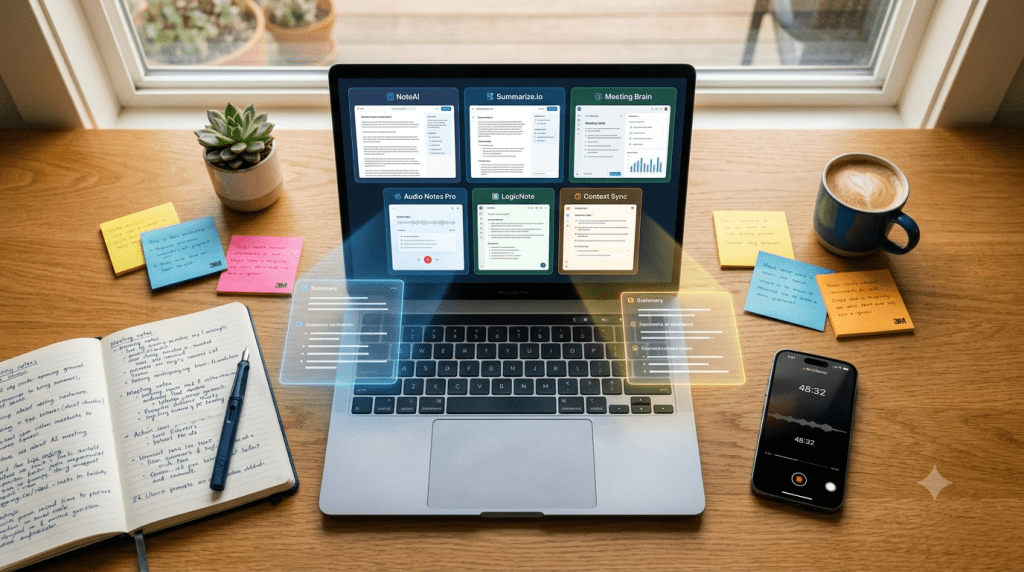
Every “best AI note taker” list in 2026 gives you the same seven apps. Otter. Fireflies. Notion AI. The usual suspects. You have probably already tried two of them and found out the hard way that the free plan runs out mid semester, the bot gets blocked by your company’s IT department, or the summary reads like a robot fell asleep halfway through your meeting.
This list is different. These are the tools that actually solve specific problems for US students juggling lecture recordings, for professionals in back to back Zoom calls, for remote teams spread across time zones, and for anyone who has ever had a client ask “wait, who is that bot in our call?”
We skipped the obvious. Here is what actually works in 2026.
What Makes a Great AI Note Taker in 2026
Before the list, one thing that separates the good tools from the great ones this year: the bot problem.
In March 2026, Google Meet updated its platform to flag third-party note taking bots as a “potential risk” and defaults to blocking them unless the host manually overrides. If your note taker works by joining your call as a visible participant, you are one client meeting away from an awkward explanation or a recording that never happened.
The best tools in 2026 either capture audio directly from your device without a bot, or have found clean workarounds. That is the first filter we applied.
The second filter: does it work for in person settings? Students in lecture halls, people in conference rooms, anyone in a physical meeting most AI note takers completely fail here because they are built only for video calls. Half of real conversations still happen in rooms.
With those two filters applied, here are the seven tools worth your time.
1. Fathom: Best Free Option for US Professionals (and Actually Free)
Fathom is genuinely free not a trial, not a limited credit system. Unlimited recordings, unlimited AI summaries, and it works across Zoom, Google Meet, and Microsoft Teams without charging you the moment you hit a threshold.
What makes it the right call for US-based professionals specifically is its US focused integrations. Fathom connects natively with Salesforce, HubSpot, and Slack the three tools that dominate American workplace workflows. After a call ends, Fathom generates a summary, pulls out action items, and can push notes directly into your CRM without you touching anything.
The trade off: Fathom uses a bot that joins your meeting as a visible participant. Since March 2026 that is a real limitation for external client calls on Google Meet. For internal team meetings and Zoom, it remains one of the cleanest experiences available at zero cost.
Best for: Sales professionals, account managers, and anyone doing back-to-back client calls who needs CRM sync without paying for it.
Pricing: Free forever for core features. Paid team plans from $19/month.
Works in: US, Canada, UK, Australia, global English speaking markets.
2. tl;dv: Best for Teams Who Are Done With Bots
tl;dv solved the Google Meet bot problem before most people noticed it was a problem. Their native desktop app records directly from your device no participant joins the call, no “potential risk” flag, no host override needed.
But the reason tl;dv earns a real spot on this list is what it does beyond recording. It does not just transcribe one call. It analyses patterns across your entire meeting library. If the same objection has come up in five client calls over the past month, tl;dv surfaces that. If a particular topic keeps getting raised in your team standups, it flags the pattern. For US companies doing any kind of sales or customer success work, this is the move from note taker to actual business intelligence.
Free plan: Unlimited video recordings, unlimited transcripts, and AI summaries genuinely the most generous free tier in the category right now.
Best for: Sales teams, customer success, remote teams who want meeting intelligence not just meeting notes.
Pricing: Free plan available. Pro from $18/month per user.
Works in: Zoom, Google Meet, Microsoft Teams. Available globally.
3. Otter.ai: Best for US Students and In Person Lectures
Otter is the one tool on this list that was built from the ground up for in-person audio, not just video calls. The mobile app on iOS and Android records live in a lecture hall, a classroom, a seminar room anywhere people are talking and produces a real-time transcript you can follow while the professor is still speaking.
For US college students specifically, this is the tool that makes the most practical sense. You sit in class, open Otter on your phone, hit record, and stop writing. By the time you get back to your dorm the transcript is searchable, the key concepts are highlighted, and you can ask it questions about what was covered. It also integrates with Canvas and other US academic platforms that most other tools ignore completely.
The free plan gives you 300 minutes of transcription per month enough for most students who are selective about when they use it. The paid plan removes that limit.
The honest limitation: Otter’s bot, OtterPilot, gets blocked by corporate IT policies more than any other tool on this list. If you are a professional using it for client calls, you will hit this problem eventually. For students and in person recording it is essentially unmatched.
Best for: US college students, academics, researchers, anyone recording in physical spaces.
Pricing: Free 300 minutes/month. Pro at $16.99/month. Teams from $30/month per user.
Works in: iOS, Android, Mac, Windows. Strong US academic market presence.
4. Granola: Best for Mac Users Who Hate Meeting Bots
Granola is the quietest tool on this list and the one most likely to make you wonder why you spent the last year dealing with anything else if you are on a Mac.
It works like this. You take notes during your meeting the way you normally would partial thoughts, bullet points, whatever makes sense in the moment. Granola runs in the background capturing the full audio. After the call it combines your notes with the full transcript and produces a structured summary that reflects both what was actually said and what you considered important enough to write down. The result reads like a human wrote it because the human input is baked into the output.
No bot. No participant added to your call. No Google Meet flag. It works silently on your device and stays out of everyone’s way.
The significant limitation: Granola is Mac only right now. No Windows, no mobile app, no Android. If you are not on a Mac, it is not an option. If you are, it is probably the cleanest experience in the category.
Best for: Mac-based professionals, founders, consultants, anyone who wants bot free meeting notes that actually sound like them.
Pricing: Free trial available. Paid plans from $18/month.
Works in: Mac only. Compatible with any video platform since it captures device audio.
5. JotMe: Best for Global Teams and Multilingual Meetings
This is the one most US-focused lists skip entirely and it is a mistake.
JotMe supports live transcription and translation in over 200 languages with 39,000 possible language pair combinations. If you are on a call with someone in Seoul, a client in Lagos, and a partner in São Paulo, JotMe handles all of it simultaneously without routing everything through English first.
For US companies with international clients, for global remote teams, for anyone doing business in languages other than English this is the tool that fills a gap that Fathom, tl;dv, and Granola simply do not address. It works without a meeting bot, captures audio directly from the device, and the free plan includes the multilingual features that other tools lock behind enterprise pricing.
Best for: International teams, US companies with global clients, language learners, multilingual professionals.
Pricing: Free plan available. Paid plans from approximately $12/month.
Works in: 200+ languages. Global availability. No meeting bot required.
6. Fellow: Best for Enterprise Teams Who Need Structure
Fellow is built differently from every other tool on this list. Most AI note takers capture what happened in a meeting. Fellow manages the entire meeting lifecycle agenda before the call, AI notes during it, action item tracking and follow-up after it.
For US enterprise teams, corporate professionals, and anyone managing complex projects across multiple stakeholders, the structured agenda and action item tracking features change what a meeting note taker actually does. It stops being a record of what was said and starts being the system that ensures what was said actually turns into something.
Fellow was named a top pick by Wirecutter for transcription and meeting summarisation, which tells you something about how it performs under real-world scrutiny rather than just product demos. It supports Zoom, Google Meet, Microsoft Teams, and Slack Huddles, with both bot and bot-free recording options depending on the situation.
Best for: Corporate teams, project managers, executive assistants, enterprise environments with compliance needs.
Pricing: Free plan with 5 AI notes lifetime. Paid from $9/user/month.
Works in: US, Canada, UK, Australia, and globally. Available on iOS, Android, Mac, Windows.
7. Laxis Best for Sales Teams Who Need Their CRM Updated
Laxis is the tool for sales professionals specifically and it earns its place by solving the problem that every other note taker leaves unsolved: what happens after the meeting.
Every tool on this list captures the call. Laxis captures the call and then keeps working. It builds summaries from your own notes combined with the transcript, meaning the output reflects your priorities not just the algorithm’s. It pushes directly to HubSpot and Salesforce natively not through Zapier, not through a third party integration, but natively, with the fields actually mapped correctly. And it doubles as a voice-to-text keyboard for capturing thoughts between meetings.
The hardware angle is also worth noting. Laxis has a companion hardware product, OSO earbuds, that capture in person conversations and feed them back into the same system. For sales reps doing in person demos or field meetings, this closes the gap that most software-only note takers leave open.
Bot-free for Zoom, Google Meet, and Microsoft Teams records directly from your device, which means no awkward explanations when a prospect asks who the bot is.
Best for: Sales professionals, account executives, anyone living in Salesforce or HubSpot who wants meeting notes that actually make it into the CRM.
Pricing: $15.99/month. Free trial available.
Works in: US-focused but available globally. iOS, Android, Mac, Windows.
Quick Comparison: Which One Is Right for You?
Use this table to find your match at a glance.
| Tool | Best For | Bot-Free? | Free Plan? | Starting Price | Works On |
|---|---|---|---|---|---|
| Fathom | US Professionals + CRM | ❌ Bot-based | ✅ Yes (unlimited) | Free / $19/mo | Zoom, Meet, Teams |
| tl;dv | Teams + Meeting Intelligence | ✅ Bot-free option | ✅ Yes (unlimited) | Free / $18/mo | Zoom, Meet, Teams |
| Otter.ai | US Students + Lectures | ✅ Bot-free (mobile) | ✅ 300 mins/mo | Free / $16.99/mo | iOS, Android, Web |
| Granola | Mac Users Who Hate Bots | ✅ Always bot-free | ✅ Free trial | $18/mo | Mac only |
| JotMe | Global + Multilingual Teams | ✅ Always bot-free | ✅ Yes | Free / ~$12/mo | 200+ languages |
| Fellow | Enterprise + Structured Teams | ✅ Both options | ✅ 5 AI notes free | $9/user/mo | iOS, Android, Mac, Win |
| Laxis | Sales Teams + CRM Sync | ✅ Always bot-free | ✅ Free trial | $15.99/mo | iOS, Android, Mac, Win |
The One Thing All of These Get Right That Most Lists Miss
The Google Meet March 2026 update changed the calculus for every tool that relies on a meeting bot. If your note taker joins calls as a visible participant, you are now one IT policy or one cautious client away from losing the recording entirely.
The direction the category is moving is clear: device level audio capture, no visible participants, and smarter post-meeting workflows rather than just longer transcripts. The tools on this list are ahead of that curve. The ones that were not on it are still catching up.
BEXORN VERDICT: The AI Note Taker Market Grew Up in 2026
The boring era of AI note takers record, transcribe, email you a wall of text is ending. The tools worth using in 2026 either solve a specific problem better than anything else (in-person recording, multilingual calls, bot-free capture, CRM sync) or they manage the full meeting workflow from agenda to follow-through. If your current tool is not doing at least one of those things meaningfully better than a human assistant would, you are using the wrong tool.
FAQ
What is the best free AI note taker in 2026?
tl;dv offers the most generous free plan with unlimited recordings, transcripts, and AI summaries. Fathom is the best free option for solo professionals who need CRM integration. Otter.ai gives US students 300 free minutes per month with strong in-person recording capability.
Which AI note taker works best for college students in the US?
Otter.ai is the strongest option for US students. Its mobile app records live lectures in real time, produces searchable transcripts, and integrates with academic workflows. The free plan covers moderate use throughout a semester.
Do any of these work without a meeting bot?
Yes, tl;dv, Granola, JotMe, and Laxis all offer bot-free capture that records audio directly from your device. This is increasingly important since Google Meet flagged third-party bots as potential risks in March 2026.
Which AI note taker is best for international or multilingual teams?
JotMe is the clear answer. It supports 200+ languages with live transcription and translation, and 39,000+ language pair combinations. No other tool on this list comes close for multilingual meeting coverage.
Is it legal to record meetings with an AI note taker in the US?
It depends on the state. Most US states allow one-party consent, meaning you can record a call you participate in without notifying others. States like California, Florida, and Illinois require all-party consent. Always disclose that you are recording on client, legal, HR, or healthcare calls regardless of state law. This is not legal advice confirm the rules for your specific state and situation.
Will any of these note takers work for in-person meetings?
Otter.ai and Laxis (with OSO earbuds) are the strongest options for in-person capture. Granola, tl;dv, and JotMe capture device audio which can work in-person if your device microphone is positioned well, but they are primarily designed for video calls.
Related Reading:
• Best AI Tools for Founders 2026 and the Mistake Most Founders Make Buying Them
• Murakkab Is the MIT System That Makes Your AI Workflows Faster and Cheaper to Run
 Murakkab Is the MIT System That Makes Your AI Workflows Faster and Cheaper to Run
  Best AI Tools for Founders 2026 and the Mistake Most Founders Make Buying Them
  Perplexity vs Google Search 2026: Which One Gets You Better Answers?
  EU AI Act 2026: The Alarming $35 Million Fine Threat That Could Destroy AI Innovation Forever
  10 Best AI Note-Taking Apps for Students in 2026 That Actually Work
  How to Use Claude AI for Beginners: 7 Simple Steps to Powerful Results 2026
  Best AI Note Taker Tools Comparison 2026: 7 Picks You Need (Bot-Free Options Included)
  Striding AI Launch Is the Clearest Signal Yet That Physical AI Is the Next Frontier
  AMC Robotics Vietnam Hub Is Proof the Hardware Race Has Left Silicon Valley