
The best AI tools for students in 2026 are no longer a luxury they are quickly becoming as essential to student life as a laptop or a library card. If you are still doing everything manually while your classmates are working smarter with artificial intelligence, this beginner guide is going to change how you approach studying, writing, and research for good.
This is not a list of gimmicks. Every tool on this list solves a real problem that students face, and most of them are either completely free or have a generous free tier that works well enough to get started without spending anything.
Let’s get into it.
What to Look for in AI Tools for Students
Before jumping into the list, it helps to know what actually makes an AI tool useful for students rather than just impressive in a demo.
The best AI tools for students do at least one of these things exceptionally well: they help you understand difficult material faster, they reduce the time it takes to produce quality written work, they help you organise and retain information, or they make research less overwhelming. A tool that does one of those things reliably is worth your time. A tool that claims to do all of them but does none of them well is not.
Cost matters too. Most students are working with limited budgets, so this list prioritises tools with strong free tiers and flags clearly where a paid plan is necessary to get real value.
1. Claude AI — Best for Writing, Research, and Understanding Difficult Concepts
Claude AI sits at the top of this list for students because it does more things well than any other single tool here. Developed by Anthropic, Claude is an artificial intelligence assistant that excels at explaining complex topics in plain language, helping with long-form writing, summarising dense reading material, and acting as a thinking partner when you are working through difficult ideas.
For students, the most valuable thing Claude does is explain. Ask it to break down a concept from your economics lecture, walk you through a principle in biology, or help you understand what a research paper is actually arguing, and it responds the way a knowledgeable tutor would with context, examples, and enough depth to actually build understanding rather than just hand you a definition.
The writing assistance is equally strong. Whether you are drafting an essay, structuring an argument, or trying to turn rough notes into a coherent piece of writing, Claude handles all of it. It does not write your essays for you in a way that bypasses your own thinking it helps you develop your ideas and express them more clearly, which is genuinely how you improve as a writer.
Best for: Essays, research, understanding lecture material, brainstorming arguments
Free tier: Yes
Paid option: Yes, for higher usage limits
2. ChatGPT — Best for Quick Answers and Versatility
ChatGPT is the most widely known AI tool in the world right now, and for students it remains one of the most versatile options available. Its strength is breadth it handles an enormous range of subjects competently and responds quickly, which makes it useful for getting fast answers to questions across almost any topic.
Where ChatGPT particularly stands out for students is its plugin and integration ecosystem. It connects with a wider range of external tools than most alternatives, which means it fits into more workflows and can pull in information from more sources.
For writing, it is strong but slightly less consistent than Claude on longer, more structured pieces. For quick explanations, brainstorming, and working through problems across a broad range of subjects, it is excellent.
Best for: Quick research, diverse subject questions, brainstorming
Free tier: Yes
Paid option: Yes, unlocks more advanced models
3. Notion AI — Best for Note-Taking and Study Organisation
If your notes are scattered across ten different places and you spend more time looking for information than using it, Notion AI is the tool that fixes that problem.
Notion is already one of the most popular organisation tools among students, and the AI layer built into it makes it significantly more powerful. You can ask Notion AI to summarise your notes from a lecture, turn a messy set of bullet points into a structured study guide, generate practice questions from your existing notes, or help you build a revision plan for an upcoming exam.
The combination of a powerful organisation system and AI assistance in one place is what makes Notion AI genuinely useful rather than just another tool to manage. Everything lives in one workspace, and the AI helps you do more with the material you already have.
Best for: Note organisation, study guides, revision planning, summarising lectures
Free tier: Yes, Notion AI is a paid add-on within Notion’s plans
Paid option: Required for full AI features
4. Grammarly — Best for Improving Your Academic Writing
Grammarly has been around long enough that most students have heard of it, but a lot of people underestimate how much it has improved in recent years. The current version goes well beyond spell-checking it analyses your writing for clarity, tone, structure, and argument strength, and it explains why it is suggesting each change rather than just making edits you do not understand.
For academic writing specifically, Grammarly is one of the most practical tools on this list. Essays, reports, and dissertations all benefit from the kind of detailed feedback it provides, and the habit of reading its explanations actually makes you a better writer over time rather than just producing cleaner individual documents.
The free version catches most of the important issues. The paid version adds deeper suggestions around clarity and structure that are worth it if you are producing a lot of written work.
Best for: Essays, reports, academic writing, grammar and clarity
Free tier: Yes
Paid option: Yes, for advanced writing suggestions
5. Perplexity AI — Best for Research and Finding Sources
Research is one of the most time consuming parts of student life, and Perplexity AI is built specifically to make it faster and more reliable. Unlike standard AI assistants that rely entirely on their training data, Perplexity searches the web in real time and cites its sources, which means you can see exactly where the information is coming from and follow up directly.
For students who need to research topics and find credible sources, this is a significant practical advantage. You are not just getting an answer you are getting an answer with a trail of evidence you can actually use. That changes how useful it is for academic work where sourcing matters.
It handles follow-up questions naturally too, so you can dig deeper into a topic in a single conversation rather than running multiple separate searches.
Best for: Academic research, finding sources, fact-checking, current information
Free tier: Yes
Paid option: Yes, for more advanced features
6. Quizlet AI — Best for Memorisation and Exam Preparation
Quizlet has been a student favourite for years, and the AI features added to it have made it considerably more powerful for exam preparation specifically. You can now generate flashcard sets automatically from your notes or textbook content, create practice tests, and get explanations for answers you get wrong all within the same tool you might already be using.
The AI generated explanations are particularly useful. Getting something wrong on a practice test is only useful if you understand why you got it wrong, and Quizlet AI handles that part better than the basic flashcard format did on its own.
For any subject that involves memorisation vocabulary, dates, formulas, terminology, concepts Quizlet AI is one of the most efficient study tools available.
Best for: Flashcards, exam preparation, memorisation, practice tests
Free tier: Yes
Paid option: Yes, for full AI features
7. Otter ai — Best for Recording and Transcribing Lectures
One of the most practical problems students face is keeping up with lectures in real time while also actually absorbing what is being said. Otter.ai solves this by recording and transcribing lectures automatically, giving you a searchable, accurate written record of everything that was covered without needing to type frantically throughout the session.
The transcription quality is strong enough to be genuinely useful rather than requiring heavy correction. You can search the transcript for specific terms, highlight key sections, and add your own notes alongside the auto generated text.
For students who learn better by reading than listening, or who simply want to focus on understanding during lectures rather than note taking, Otter.ai removes a real friction point from the study process.
Best for: Lecture recording, transcription, note-taking, accessibility
Free tier: Yes, with monthly minute limits
Paid option: Yes, for higher transcription limits
8. Wolfram Alpha — Best for Maths and Sciences
Wolfram Alpha has been a reliable tool for students in maths and science subjects for years, and it remains one of the best options for anything involving calculations, equations, data, or scientific concepts. It does not just give you answers it shows you the working, which is essential when you are trying to understand a process rather than just get a result.
For students in subjects like mathematics, physics, chemistry, statistics, or engineering, Wolfram Alpha is the kind of specialist tool that covers ground that general AI assistants handle less reliably. It is not trying to do everything it is very good at a specific set of things that matter enormously for certain students.
Best for: Maths, physics, chemistry, statistics, scientific calculations
Free tier: Yes
Paid option: Yes, for step-by-step solutions and more advanced features
9. Hemingway Editor — Best for Clear and Readable Writing
Hemingway Editor does one thing and does it well: it tells you when your writing is harder to read than it needs to be. It highlights sentences that are too long, flags passive voice, identifies adverbs that are weakening your writing, and gives you an overall readability grade.
For students, this is particularly useful for essays and reports where clarity matters. Academic writing has a tendency to become unnecessarily complicated, and Hemingway Editor pushes back against that tendency in a direct, visual way that is easy to act on.
It works best used after Claude or Grammarly write and refine your content first, then run it through Hemingway to catch anything that still reads more heavily than it needs to.
Best for: Readability, essay clarity, simplifying complex writing
Free tier: Yes, the web version is free
Paid option: Yes, for the desktop app
10. Google NotebookLM — Best for Working With Your Own Study Materials
Google NotebookLM is one of the newer tools on this list and one of the most interesting for students specifically. Rather than working from general training data, NotebookLM works exclusively from the sources you upload your lecture notes, textbooks, research papers, and study materials. Everything it tells you is grounded in your actual course content.
You can ask it questions about your uploaded materials, ask it to generate study guides, create practice questions based on specific chapters, or summarise key themes across multiple documents. Because it only draws from what you give it, the answers are directly relevant to what you are actually studying rather than a generalised version of the topic.
For exam preparation especially, this grounding in your specific course materials makes it more useful than tools that work from broader knowledge.
Best for: Exam revision, working with course materials, study guides, research papers
Free tier: Yes
Paid option: Currently free with a Google account
Common Mistakes Students Make With AI Tools
The biggest mistake is using AI tools to skip thinking rather than to think better. The students who get the most out of tools like Claude AI are the ones who use them to understand material more deeply, not the ones who use them to avoid engaging with material at all. The difference shows up in exams, in discussions, and in the quality of work produced over time.
The second mistake is using too many tools at once. Pick two or three from this list that address your actual weakest points and get genuinely good at using them before adding more. A student who knows how to use Claude AI and Notion AI really well will outperform one who has ten tools installed and uses none of them effectively.
The third mistake is never learning how to prompt AI tools properly. The quality of what you get out of any AI assistant is directly tied to the quality of what you put in. Vague questions produce vague answers. Specific, detailed prompts produce specific, useful responses. This is a skill worth developing early.
What is the best AI tool for students in 2026?
Claude AI is the strongest all-round option for most students because of how well it handles writing, research, and explaining complex topics. For specialist needs maths, organisation, lecture transcription the other tools on this list fill those gaps effectively.
Are AI tools for students free?
Most of the best AI tools for students have free tiers that are genuinely useful. Claude AI, ChatGPT, Perplexity, Grammarly, Quizlet, and Google NotebookLM all offer free access. Some tools require paid plans for their most advanced features.
Is using AI tools cheating?
This depends entirely on your institution’s policy and how you use the tools. Using AI to understand material better, organise your notes, and improve your writing is generally considered acceptable academic support. Using AI to produce work you submit as entirely your own without disclosure is a different matter entirely. Check your institution’s guidelines and use these tools in ways that genuinely support your learning.
Which AI tool is best for essay writing?
Claude AI is the strongest option for essay writing specifically. Its ability to help structure arguments, improve clarity, and maintain coherence across a long piece makes it more useful for academic writing than most alternatives.
Can AI tools help with every subject?
Most general AI tools handle humanities, social sciences, business, and writing-heavy subjects very well. For highly technical subjects involving complex mathematics and scientific calculations, Wolfram Alpha fills gaps that general AI assistants handle less reliably.
Final Thoughts
The best AI tools for students in 2026 are not about replacing your own thinking they are about making your thinking faster, clearer, and better supported. The students who use these tools well are not doing less work. They are doing better work in less time, which leaves more room for the parts of learning that actually require your full attention.
Start with Claude AI for writing and research, add Notion AI if organisation is your weak point, and pick one or two others from this list that address specific problems you actually have. Build from there as you get comfortable.
The advantage goes to students who learn how to use these tools properly and early. You are already ahead of most just by reading this far.
 EU AI Act 2026: The Alarming $35 Million Fine Threat That Could Destroy AI Innovation Forever
 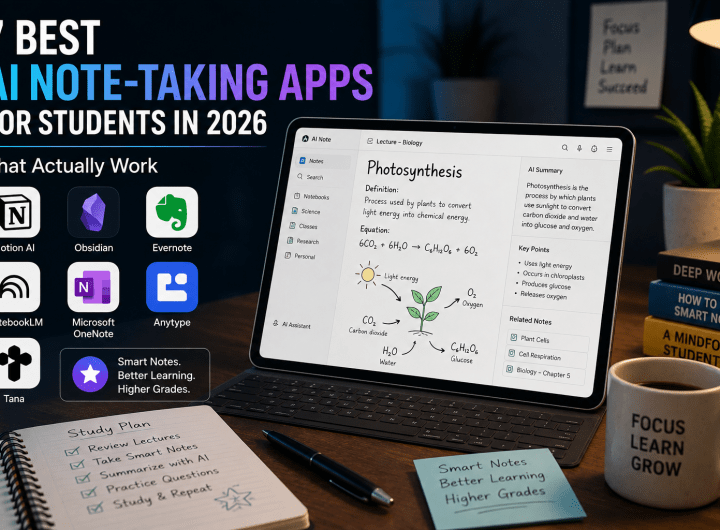 10 Best AI Note-Taking Apps for Students in 2026 That Actually Work
  How to Use Claude AI for Beginners: 7 Simple Steps to Powerful Results 2026
 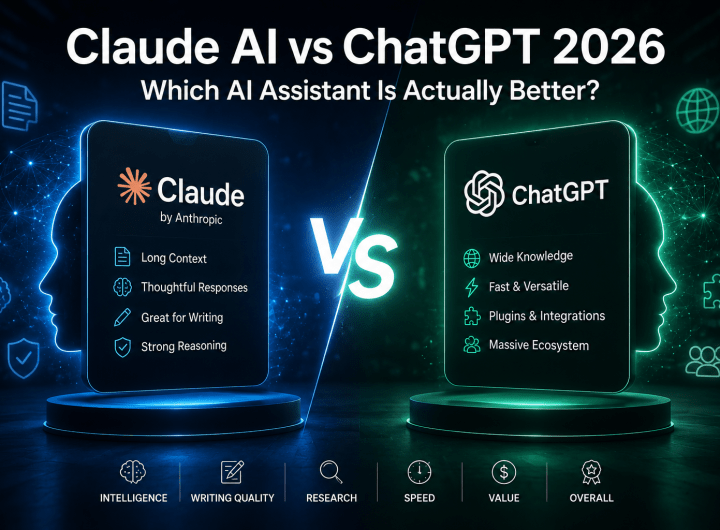 Claude AI vs ChatGPT 2026: Which AI Assistant Is Actually Better?
  10 Best Free AI Tools for Beginners in 2026
  Microsoft AI Coding Tools 2026: The Uncomfortable Truth Developers Are Just Finding Out
  AI Jobs at Risk by 2030: The Honest Truth Nobody Is Telling You
  Grok AI Review 2026: Is Grok The Most Underrated AI Assistant Right Now?
  Claude Fable 5 vs ChatGPT 2026: The Battle Forcing Millions to Finally Ditch One AI for the Other