
This Claude AI review starts with something most reviews won’t tell you: the reputation is largely deserved, and here’s exactly why.”
While ChatGPT continues to dominate headlines and casual conversation, a growing number of professionals, writers, students, and researchers have been making a quieter shift toward Claude. Not because of marketing, not because of viral moments, but because they tried it for real work and it delivered. That word-of-mouth reputation is usually the most reliable kind.
But this Claude AI review isn’t here to add to the hype. It’s here to give you an honest, detailed answer to the question that actually matters: does Claude AI deserve a place in your workflow in 2026, or is it benefiting from an industry that’s very good at making tools sound more impressive than they are?
Let’s work through it properly.
Quick Verdict
BEXORN Rating: 9/10 — Highly Recommended
Claude AI is one of the strongest artificial intelligence assistants available right now. Its ability to write naturally, analyse large documents, explain genuinely difficult concepts, and hold context across long working sessions makes it particularly valuable for anyone whose work revolves around information. If that describes you, it’s absolutely worth trying.
What Is Claude AI?
Claude AI is an artificial intelligence assistant developed by Anthropic, a company that has built its entire identity around one idea: AI should be safe, honest, and genuinely useful rather than just impressive. That philosophy isn’t just a mission statement it shows up in how Claude actually behaves, which we’ll get into throughout this review.
Like other modern AI assistants, Claude works through conversation. You type something, it responds. But the range of what falls under that description is wider than most people expect when they first encounter it. Claude can help you write and edit content, summarise long documents, explain complex topics, assist with coding, think through problems, and act as a research partner across a genuinely broad range of subjects.
What separates Claude from many of the alternatives isn’t the list of things it can do, most capable AI tools have similar lists. It’s the quality and consistency of how it does them, particularly when the task involves language, reasoning, or large amounts of written information.
What Claude AI Does Better Than Most
Most AI tools today can generate text. The real question has never been whether an AI can produce words it’s whether those words are actually useful when you sit down to do real work.
Claude’s biggest practical advantage is how well it understands context. Rather than producing generic answers padded with filler phrases, it tends to follow the actual logic of what you’re asking, maintain consistency across a long response, and develop ideas in a way that holds together. For anyone who has spent time editing AI-generated content that technically answered the question but still required significant work to be usable, this difference is immediately noticeable.
The writing feels less mechanical. The explanations go deeper. The responses stay coherent even when the conversation runs long or the document being analysed is substantial. These aren’t dramatic differences in isolation, but they compound quickly across a real working day.
Claude AI for Writing
Writing is where Claude is most immediately impressive, and it’s the use case that has driven most of its reputation among content creators and professionals.
The gap between Claude and weaker AI writing tools is most obvious in long-form content. Many tools can produce a reasonable opening paragraph and then gradually lose coherence as the piece gets longer the structure starts to drift, the logic becomes circular, and you end up spending more time fixing the output than you saved generating it. Claude handles long-form writing with noticeably more consistency. The sections flow into each other, the argument develops rather than repeating itself, and the editing burden on your end is genuinely lighter.
Tone control is another genuine strength. Claude adapts well to specific voices and styles, which matters if you’re writing for a particular brand, audience, or publication. You’re not stuck with one generic register you can push it toward more formal, more conversational, more technical, or more editorial depending on what the piece requires.
It also handles editing and rewriting well, which is often more useful than generation from scratch. Give it a rough draft that captures your ideas but doesn’t yet read well, and Claude can tighten it, restructure it, and improve the flow without stripping out what made it yours. That particular capability is one of the most practically useful things about it for writers who already have a voice and just need help with the execution.
Claude AI for Research
Research is where Claude surprises people who come in expecting a souped-up search engine and find something closer to an intelligent study partner.
The difference in how Claude handles research questions compared to weaker tools is mostly about depth. Where a lot of AI assistants will give you a surface-level answer that technically addresses the question, Claude tends to explain relationships, context, and implications rather than just presenting facts in isolation. Ask it to explain a concept in economics, a principle in machine learning, or a development in business strategy, and it usually does so in a way that actually builds understanding rather than just filling space.
This makes it genuinely useful for learning. Students working through difficult material, professionals trying to get up to speed in an unfamiliar area, journalists researching a topic outside their expertise Claude functions as a knowledgeable explainer who can meet you at your level and go as deep as you need.
The important caveat is that Claude’s knowledge has a cutoff point. It doesn’t know what happened last week, and for fast-moving topics, that matters. Anything time-sensitive needs to be verified through current sources. For conceptual understanding, historical context, and analytical thinking, though, the knowledge cutoff rarely gets in the way.
Claude AI for Document Analysis
This is probably Claude’s most underrated capability, and for certain types of professionals it might be the most valuable thing it does.
Handling large documents is genuinely difficult for a lot of AI systems. They lose the thread, miss important details, or produce summaries so generic they could apply to almost anything. Claude handles substantial documents research papers, contracts, lengthy reports, sets of meeting notes, technical documentation with real reliability. You can ask specific questions about particular sections, request summaries of key arguments, ask it to explain complicated passages in plain language, or ask it to pull out the details most relevant to a specific decision you’re trying to make.
For professionals who regularly work with large amounts of written material, this is the kind of capability that changes how a working day feels. Reading and synthesising information is time-consuming in a way that compounds hours spent on documents are hours not spent on the work those documents are supposed to inform. Claude doesn’t eliminate that reading entirely, but it accelerates it significantly and makes it easier to focus your attention where it actually matters.
Claude AI for Productivity
Productivity is a word that gets applied to almost every AI tool whether it fits or not, so it’s worth being specific about where Claude actually earns it.
The most straightforward productivity gains come from the writing and document tasks already covered drafting emails and reports faster, summarising information more quickly, producing content that requires less editing. Those are real time savings that accumulate over weeks and months of regular use.
The less obvious productivity gain, and arguably the more significant one, is Claude as a thinking partner. A lot of the time that gets lost in professional work isn’t lost to tasks that could be automated it’s lost to decisions that are difficult to think through clearly, problems where you can’t quite see the right approach, and planning that needs a sounding board. Claude is genuinely useful for this. It doesn’t just agree with everything you say, it engages with the logic of what you’re working through, raises considerations you might have missed, and helps you think more clearly about whatever you’re trying to solve.
That’s harder to put a number on than time saved on email, but for many users it ends up being the thing they value most.
Strengths
The writing quality is the most immediately apparent strength it produces natural, coherent output that holds up across long pieces in a way that many competing tools don’t.
The context management is a close second. Claude keeps track of long conversations reliably, which means you can build on earlier parts of a discussion without constantly re-explaining what you were talking about. For complex projects that develop across a working session, this matters more than it sounds.
The honesty about uncertainty is genuinely valuable and easy to underestimate. An AI that tells you when it’s not sure is more useful than one that always sounds confident, because it means you can calibrate your trust rather than having to fact-check everything with equal suspicion.
The document analysis capability, as covered above, is strong in ways that immediately translate to practical time savings for the right kind of user.
Weaknesses
The knowledge cutoff is the most significant practical limitation for users who need current information. Claude doesn’t know what happened recently, and for anything time-sensitive, that’s a real constraint that requires working around.
The prompt dependency is worth being honest about. Claude performs best when you give it clear, specific instructions. Vague prompts produce vague results, and if you go in expecting it to read your mind, you’ll be disappointed. This isn’t unique to Claude it’s true of every capable AI tool but it means there’s a real learning curve involved in getting consistently good results.
The free tier has usage limits that become relevant if you start relying on Claude heavily for professional work. Most beginners won’t hit them immediately, but regular users often find the paid plan worth it fairly quickly.
Who Should Use Claude AI
Writers and content creators will find Claude fits naturally into their workflow. The writing quality, the editing capability, and the tone control are all strong enough to make a real difference in how long good content takes to produce.
Students and learners get genuine value from how clearly Claude explains difficult concepts. It adapts to your level, handles follow-up questions naturally, and builds understanding rather than just delivering answers.
Researchers and analysts who work with large amounts of written information will find the document analysis capability particularly valuable. The ability to interrogate a long document and get reliable, specific answers is a meaningful time saver.
Business professionals using Claude for reports, summaries, planning, and communication tasks will find it handles all of these competently and consistently.
Developers can use it for coding assistance, debugging, and having technical concepts explained in plain language though dedicated coding tools may serve specialist development work better.
Who Should Probably Skip Claude AI
If your primary need is real-time information breaking news, live data, very recent events Claude isn’t the right tool. Its knowledge cutoff is a genuine limitation for that use case and working around it gets frustrating quickly.
If you’re looking for something fully automated that produces usable content with no editorial oversight, you’ll be disappointed not just with Claude but with any AI tool that’s actually good. Quality output requires human judgment in the loop.
If you need qualified professional advice on legal, medical, or financial matters, Claude can help you understand concepts and prepare better questions, but it should never replace an actual expert for anything consequential.
Common Mistakes New Users Make
The most common mistake is treating Claude’s answers as automatically accurate. It can make errors, particularly with specific factual claims or anything that postdates its knowledge cutoff. The right approach is to treat it as a highly capable assistant whose work you still review, not an oracle whose output you publish without checking.
The second mistake is writing vague prompts and then being disappointed with generic results. The quality of what Claude produces is closely tied to the quality of what you ask it. Specific instructions, clear context, and a defined sense of what you want the output to do will consistently produce better results than open-ended requests.
The third mistake is never exploring the settings available to you. Claude’s Effort setting, for example, controls how deeply it reasons before replying and understanding when to use High versus Max versus Medium can meaningfully improve your results depending on the task. Most users ignore this completely and leave real quality on the table. If you want to understand it properly, our guide to Claude AI Effort Settings covers it in full.
The fourth mistake is giving up after one or two conversations that didn’t quite deliver. Claude rewards familiarity. The more you use it and learn how to work with it, the better your results become. The first few conversations are rarely representative of what it can actually do for you over time.
Is Claude AI worth using in 2026?
For writing, research, document analysis, learning, and productivity, yes it’s one of the strongest artificial intelligence assistants available and it earns that position through genuine quality rather than marketing. The free tier alone is worth trying to find out whether it fits your workflow.
Is Claude AI free?
Yes, there’s a free tier that gives you real access to Claude’s core capabilities. Paid plans are available for higher usage limits and access to the most advanced models. Check Anthropic’s website for current pricing since plan details do change.
Is Claude AI better than ChatGPT?
Both are strong tools and the honest answer is that it depends on what you’re doing. Claude tends to perform better for long-form writing and document analysis. ChatGPT has a broader ecosystem of integrations and tools. The best approach is to try both and see which one fits your specific needs. We cover this in detail in our Claude AI vs ChatGPT comparison.
Can Claude AI write articles?
Yes, and it’s one of its strongest capabilities. The writing quality, structural coherence, and ability to maintain tone across a full piece make it genuinely useful for content creation not as a replacement for human judgment, but as a tool that makes the process faster and the editing burden lighter.
Does Claude AI make mistakes?
Yes. Like every AI assistant, it can produce errors, particularly with specific factual claims or recent information. It’s designed to express uncertainty rather than always sounding confident, which makes it more reliable than tools that never admit doubt but you should still review important outputs before relying on them.
What effort setting should I use?
For most everyday tasks, High which is the default is the right choice. It handles the vast majority of real-world use cases with strong quality. Our full guide to Claude AI Effort Settings explains when and why you’d reach for the other levels.
Final Verdict
After spending real time with Claude across writing, research, document analysis, and day-to-day productivity tasks, the conclusion of this Claude AI review is straightforward: it’s not just another chatbot riding the AI hype cycle. It’s one of the most capable and consistently useful artificial intelligence assistants available in 2026, and it earns that description through performance rather than promise.
The limitations are real the knowledge cutoff matters, prompt quality matters, and it rewards users who invest time in learning how to work with it. But those limitations exist across virtually every capable AI tool, and Claude manages them more honestly than most by acknowledging uncertainty rather than hiding it behind confident-sounding answers.
For writers, researchers, students, and professionals whose work involves information reading it, synthesising it, communicating it Claude belongs in your toolkit. Not as a replacement for your own thinking, but as a tool that makes your thinking faster, clearer, and more productive.
BEXORN Final Score: 9/10
 Grok AI Review 2026: Is Grok The Most Underrated AI Assistant Right Now?
  Claude Fable 5 vs ChatGPT 2026: The Battle Forcing Millions to Finally Ditch One AI for the Other
 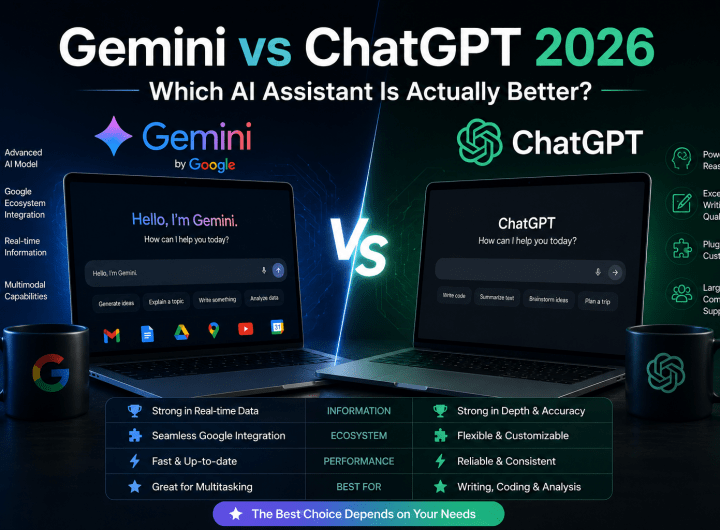 Gemini vs ChatGPT 2026: Which AI Assistant Is Actually Better?
  What Is Google Gemini and Should You Use It in 2026? (Honest Review)
  Microsoft AI Coding Tools 2026: The Uncomfortable Truth Developers Are Just Finding Out
  AI Jobs at Risk by 2030: The Honest Truth Nobody Is Telling You
1 thought on “Claude AI Review 2026: Is It Worth Using for Writing, Research, and Productivity?”